Contact Us
Contact Us

Your Total Safe Patient Handling Partner
1000 Items
Best Cable Direct Attach Cables for 2026?
In 2026, choosing a Cable Direct Attach solution is less about chasing the highest advertised speed and more about matching the cable to the equipment, distance, and workload. Direct attach copper cables can provide a practical connection between switches, servers, and storage systems in a rack. Yet a cable that works well in one setup may not suit another. Check the port type, supported data rate, cable length, and vendor compatibility before comparing prices. Small details matter.
This guide looks at how to compare passive and active designs, assess reach and power needs, and spot specifications worth verifying. A short passive cable may be a sensible fit for nearby ports, while longer runs can call for a different design. Confirm the manufacturer’s documentation for both connected devices; connector shape alone does not guarantee compatibility. Also consider routing space, airflow, and how often technicians may need to move or replace the cable. Those checks are easy to overlook.
There is no universal winner. A lower-cost option can be entirely adequate, but only when its specifications match the actual installation. This article offers a clear framework for evaluating leading choices for 2026, while noting where product details should be checked against current vendor information. Be cautious with broad performance claims. The best choice is the one that fits your network reliably, not merely the one with the most impressive listing.
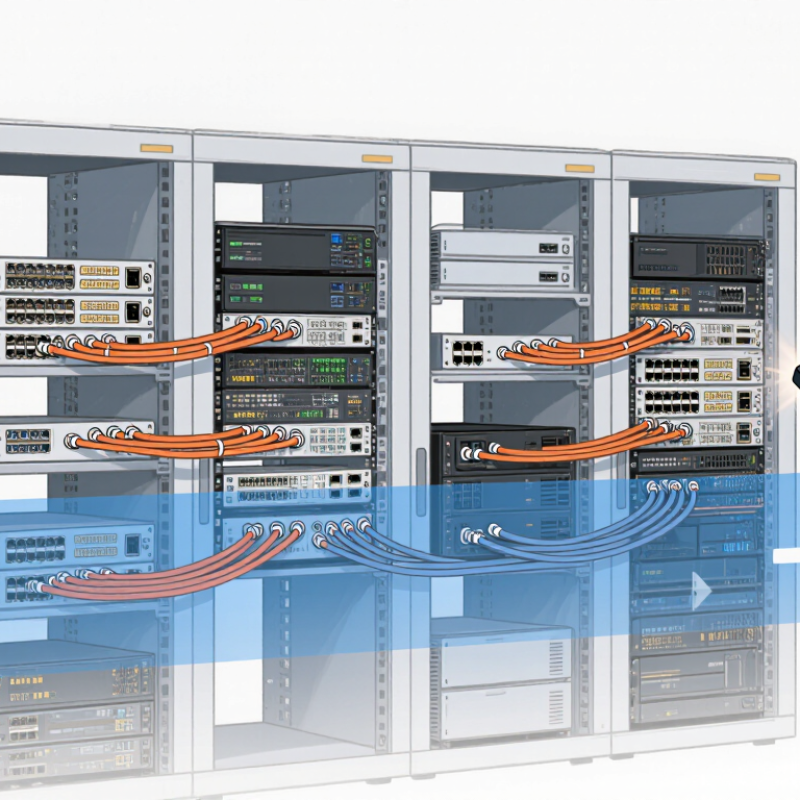
Define DAC Types: Passive Copper, Active Copper, and Retimed Designs
Direct Attach Cables connect equipment through fixed copper assemblies, avoiding separate transceivers. Their design affects reach, power use, and compatibility. Passive copper contains no signal-processing electronics. It is often a practical choice for short rack connections, such as linking switches a few meters apart. It uses little power, but thicker cables can be stiff and difficult to route through crowded racks. No magic here.
Active copper adds electronic components to condition signals. This can support longer reaches than passive designs, depending on the data rate and equipment. The trade-off is added power use and more dependence on compatible ports. Check both ends. A cable that fits physically may still fail to link at the intended speed.
Retimed designs use circuitry to recover and retransmit the signal, helping manage signal degradation across longer or more demanding connections. That can be useful in dense deployments, though retimers add complexity, consume power, and introduce some latency. The differences are easy to blur in product descriptions, so verify whether a cable is passive, actively conditioned, or retimed. Also check its supported speed, length, and bend radius against the actual rack layout. A neat specification sheet cannot account for every installation; airflow, tight cable turns, and port support deserve a real-world check.
Best Cable Direct Attach Cables for 2026? — Define DAC Types: Passive Copper, Active Copper, and Retimed Designs
| DAC Type | How It Works | Typical Reach | Power and Latency | Key Advantages | Considerations and Best Fit |
|---|---|---|---|---|---|
| Passive copper | Direct electrical connection between the cable ends, with no signal-conditioning electronics in the cable. | Usually suited to short links, often around 1–3 m at higher data rates. The supported length depends on the data rate, cable construction, and host-port specifications. | Typically draws negligible cable power and adds very little signal-processing latency. | Simple, power-efficient, and often the lowest-cost DAC option for short connections. | Best for nearby switches, servers, and storage equipment when the specific cable length and rate are supported by both ports. Signal margin declines as rate and length increase. |
| Active copper | Uses powered electronics, commonly signal-conditioning components such as redrivers, to improve the electrical signal over the cable. | Can support longer links than passive copper; lengths of several metres are common in product families, but maximum reach is specific to the cable and data rate. | Requires more power than passive copper. Added latency is generally low, but varies by design. | Extends copper connectivity while retaining a compact cable assembly and avoiding optical transceivers. | Useful when a passive cable cannot meet the required reach or signal margin. Check cable power, host support, and the stated maximum length for the exact link speed. |
| Retimed active copper | Includes retiming electronics that recover and retransmit the data signal, rather than only reshaping or amplifying it. | May provide more reach or signal margin than a comparable passive design, but achievable distance is product- and data-rate-dependent. | Consumes more power than passive designs and typically adds more latency than a simple redriver-based cable because of signal recovery and retiming. | Can improve signal integrity on demanding high-speed links and help address tighter electrical-channel budgets. | Consider when link quality or reach calls for retiming and the ports support the cable’s design. Verify power, latency, compatibility, and any platform-specific restrictions. |
Selection note: Reach and power figures are design-dependent, not universal limits. Confirm the exact data rate, cable length, connector configuration, host compatibility, and manufacturer-rated specifications for each link before deployment.